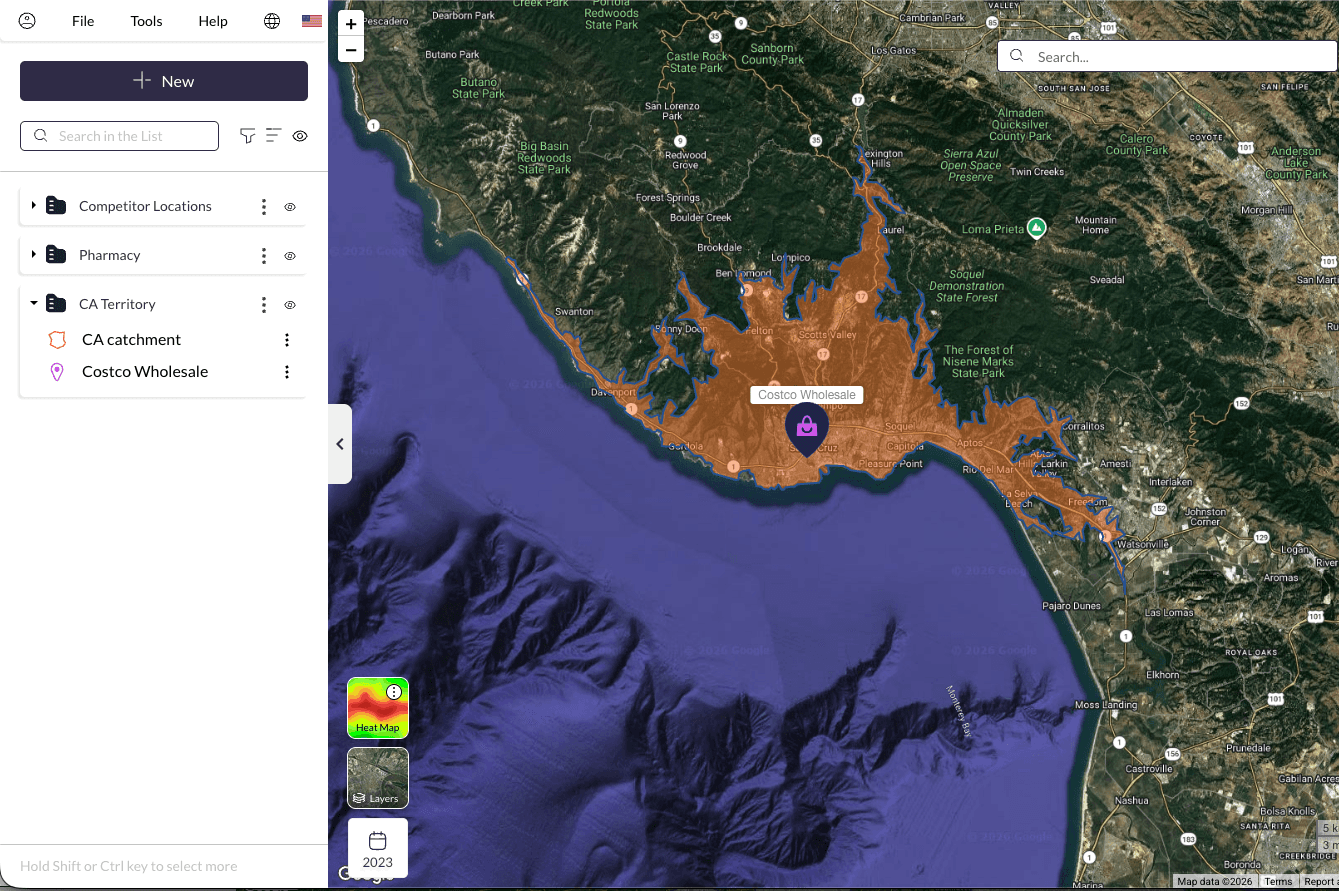
Every territory plan, site selection, or expansion decision depends on one thing: understanding the people in the area. But most tools rely on outdated or inconsistent population data—leading to territories that are too large, locations that underperform, and decisions that carry unnecessary risk. Population Explorer gives you a clear, current view of population distribution so you can design territories, evaluate markets, and move forward with confidence.
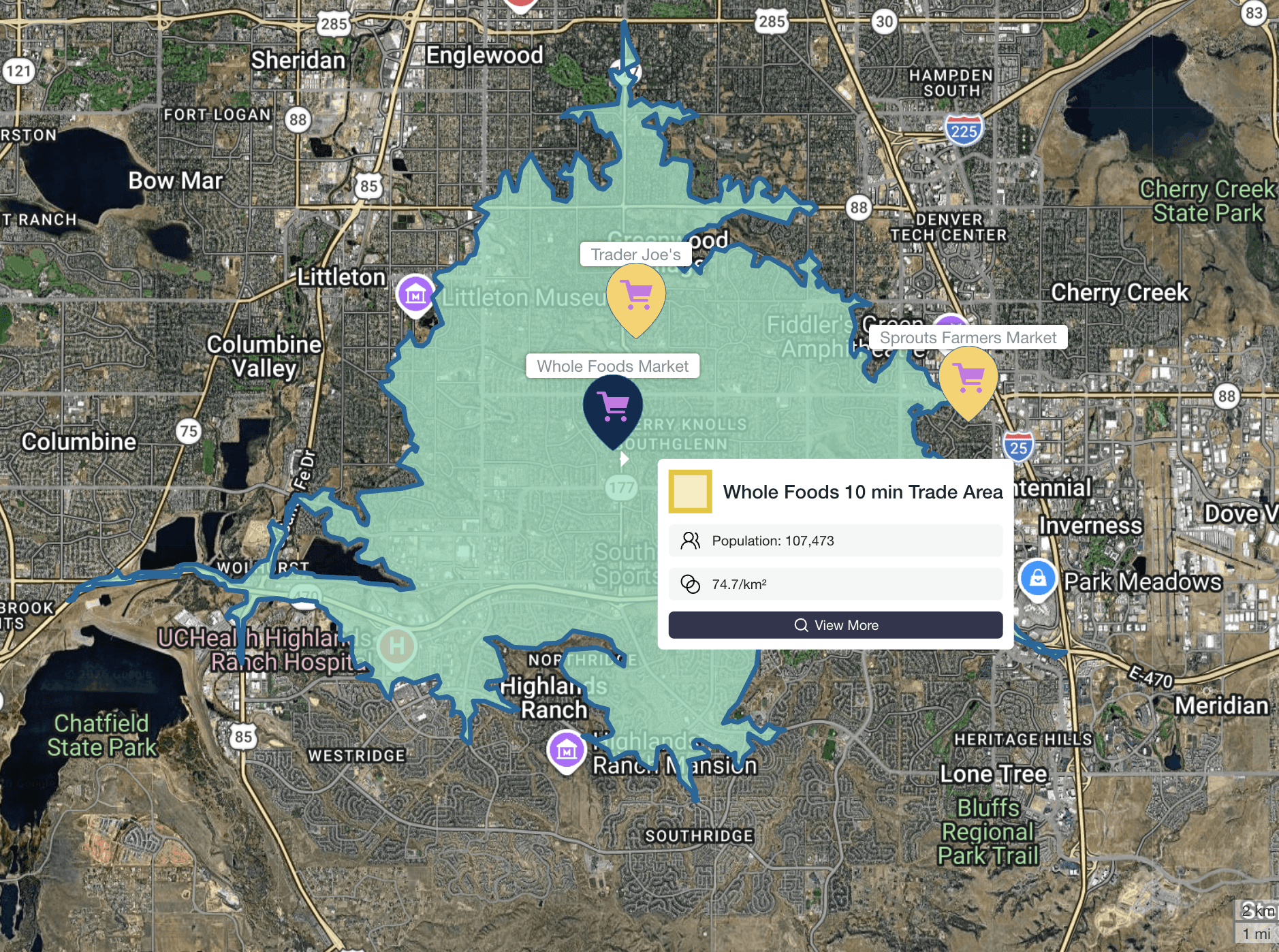
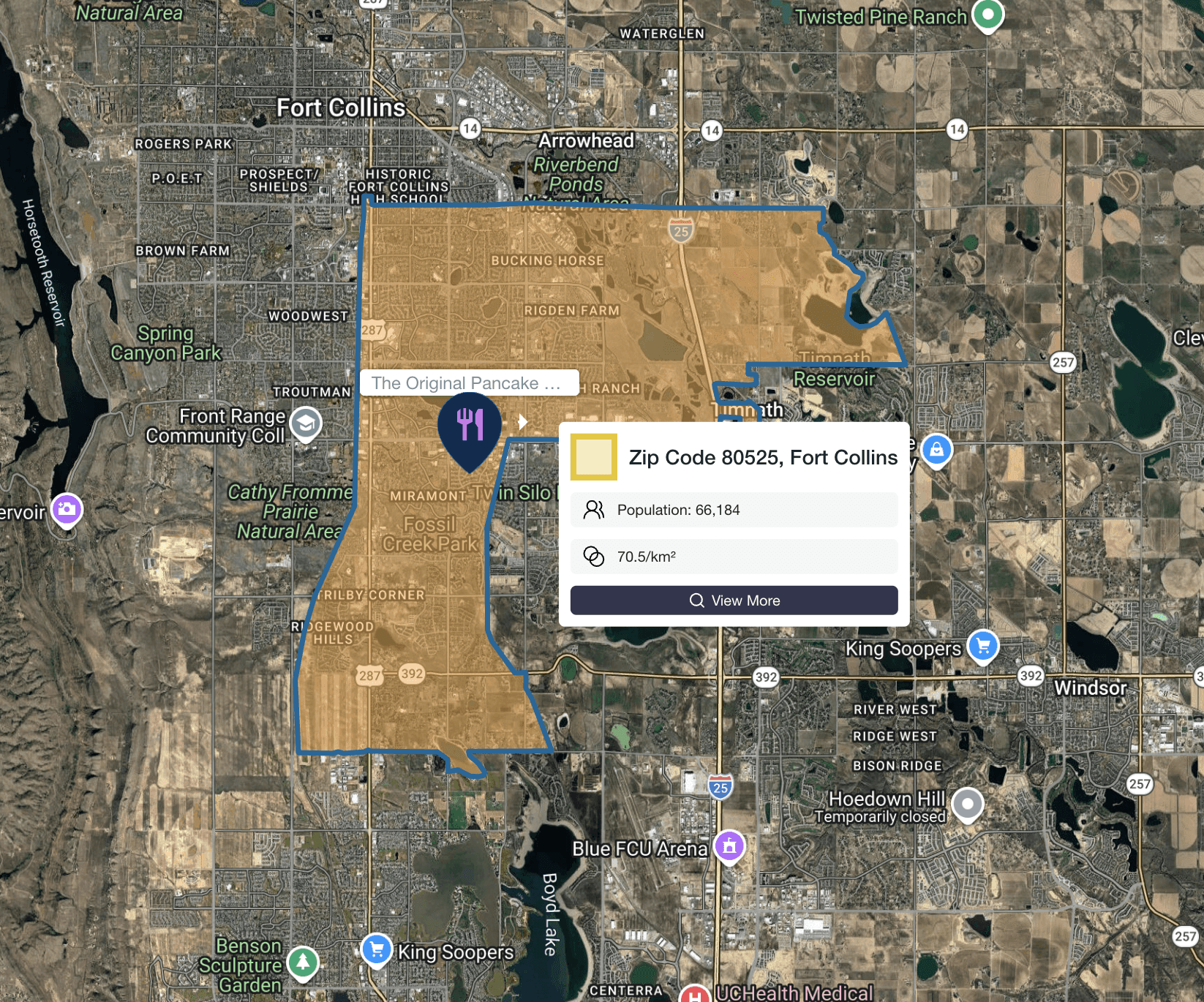






How does Population Explorer work?
What types of areas can I analyze?
You can draw custom territories, analyze population in a radius, generate drive-time areas, or import existing boundaries like zip codes, counties, or franchise territories.
How quickly can I get results?
Population, density, and other key metrics are calculated instantly; no processing delays or GIS workflows required.
Do I need GIS experience to use Population Explorer?
No. Population Explorer is designed for business users, not GIS specialists. Most analyses can be completed in seconds with no technical training.
Can I compare multiple locations or territories?
Yes. You can analyze and compare multiple sites side-by-side to identify the strongest opportunities.
Data and accuracy
What makes your population data different from other tools?
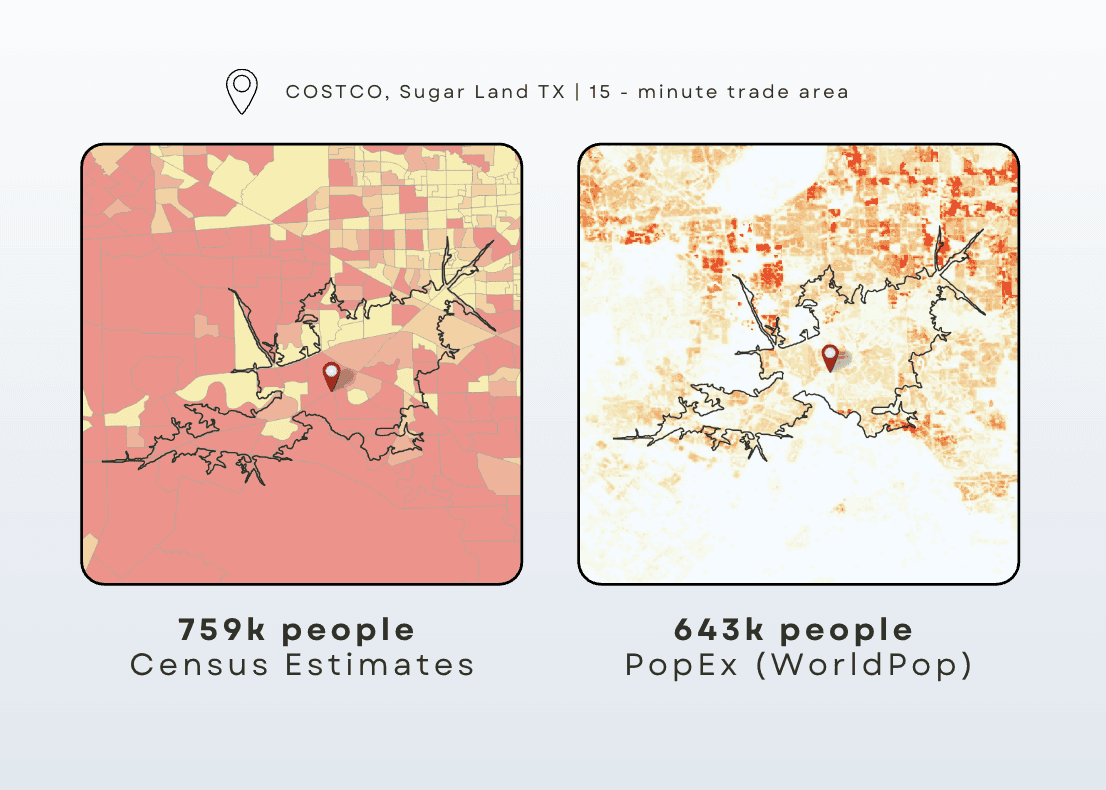
Most tools rely on census data, which can be outdated and inconsistent. Population Explorer uses Landscan and WorldPop, globally recognized datasets that provide more current and consistent population estimates.
How often is your data updated?
Our datasets are updated annually using the latest available global population models, ensuring more current insights than traditional census-based tools.
Why does population vary so much between datasets?
Different datasets use different methodologies. Census data is often static and aggregated, while LandScan and WorldPop model real-world population distribution more dynamically, especially in fast-changing areas.
Which dataset should I trust?
If your decisions depend on current population distribution (not just historical counts), modeled datasets like LandScan and WorldPop provide a more accurate representation of reality.
Use-cases and applications
Who uses Population Explorer?
Population Explorer is used by franchisors, site selection teams, consultants, and operators making territory and expansion decisions.
What decisions can this help with?
Competitive analysis
Market sizing and expansion strategy
Can I analyze competitors and nearby businesses?
Yes. You can search and map points of interest (POIs) to identify competitors, complementary businesses, and market saturation.
Is this useful outside the United States?
Yes. Population Explorer provides global coverage with consistent data across countries.
Getting started
How long does it take to get started?
You can start analyzing territories within minutes, no setup or onboarding required.
Do I need to install anything?
No. Population Explorer runs entirely in your browser.
Can I upload my own territories or location data?
Yes. You can import custom boundaries or point data to analyze your existing markets.
Can I export results for reports or FDDs?
Yes. You can export population metrics and territory data for use in planning documents, reports, or franchise disclosures.
FAQs For Franchise & Site Selection Teams
How do I determine the right size for a franchise territory?
Start by analyzing population within your target trade area (e.g., 10-20 minute drive time). Population Explorer allows you to test different territory sizes and compare results instantly.
What population is needed to support a new location?
This varies by concept, but Population Explorer allows you to benchmark existing locations and identify population thresholds that correlate with performance.
How do I evaluate new markets for expansion?
Compare population density, growth trends, and competitor presence across multiple markets to identify the strongest opportunities.
How can I avoid overlapping or underperforming territories?
By analyzing population distribution and spacing between locations, you can design territories that maximize coverage without cannibalization.
How do I analyze competitors in a trade area?
Use POI search to map competitor locations within a defined catchment area and assess market saturation.
Can I use this for drive-time (isochrone) analysis?
Yes. You can generate drive-time areas (e.g., 10, 15, 20 minutes) and instantly calculate population within those zones.
How accurate is population data for fast-growing areas?
Traditional census data often lags behind growth. Population Explorer’s datasets are better suited for capturing population shifts in rapidly developing regions.
Can I use this for international expansion?
Yes. Population Explorer provides consistent population data globally, making cross-country comparisons more reliable.
